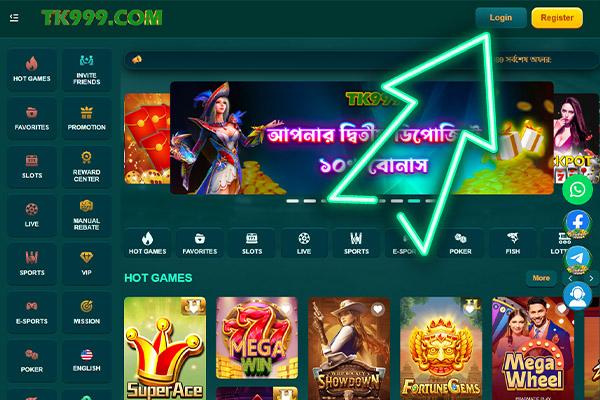
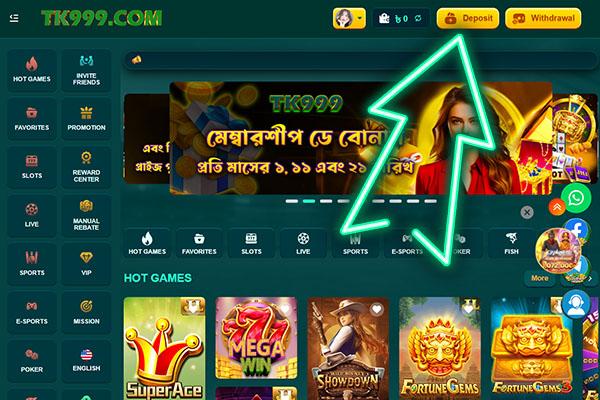
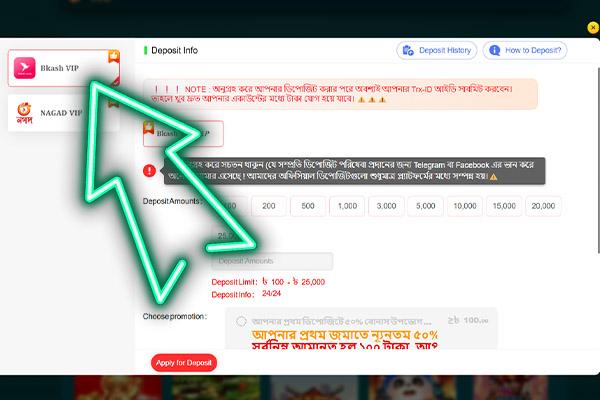
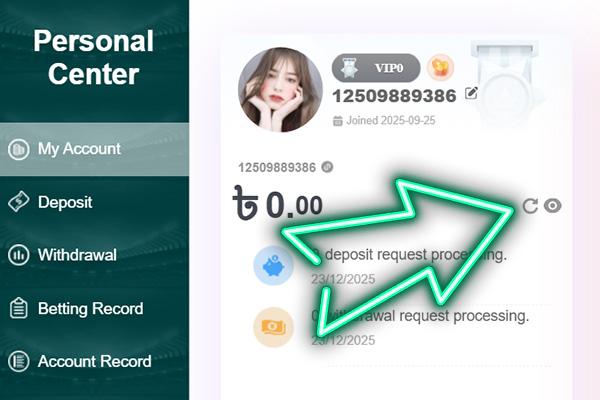
Make a deposit on TK999 in Bangladesh with popular local wallets and clearly shown BDT limits. This 2026 guide explains where to find each method in the cashier, how to read the limits, and what to check first if a payment does not go through. Common options usually include bKash, Nagad and Rocket, with the available methods listed in the cashier for the Bangladesh region. The minimum deposit can vary by method, so it is best to check the exact minimum shown next to your chosen option before you confirm.
read more...
💰
Instant top-up
Just 100 BDT and you're in the game!
💵
Minimum deposit
bKash and Nagad in a couple of clicks without waiting
For a Bangladesh player, the TK999 deposit screen groups all funding options in one place so you can move BDT from a mobile wallet without touching foreign currency. When a TK999 deposit problem appears, it is usually linked to one payment channel. This is why it helps to understand how bKash VIP and Nagad VIP behave before you confirm any request in the cashier:
bKash VIP mobile wallet for fast every day deposit requests;
Nagad VIP mobile wallet for regular deposits and bonus play in BDT.
Each wallet has its own range for minimum and maximum amounts plus its own posting speed, which is why the same sum can appear instantly with one method yet take longer checks with another.
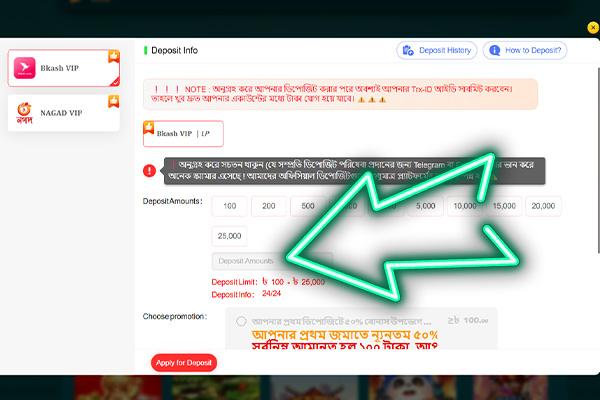
To avoid a TK999 deposit problem caused by a wrong amount or missed rule, always compare your planned transfer with the limits shown next to the method in the cashier and stick to that corridor.
Deposit Limits and Speeds
The table below summarizes how the two VIP mobile wallets are usually positioned for TK999 deposit requests, with example limits and typical processing times. Always recheck the live figures in the payment section at TK999 before starting a new transfer.
Deposit method
Minimum in BDT
Maximum in BDT for standard users
Usual processing time
bKash VIP
100
25,000
Almost instant once Trx ID is confirmed, usually within 1-5 minutes
Nagad VIP
100
25,000
Almost instant for approved accounts, typically within 1-5 minutes
TK999 Casino Deposit Process
On mobile or desktop, the cashier shows a single Deposit tab for every TK999 casino deposit. Many errors appear when players skip a step or change the order. Treat the sequence below as a strict checklist:
Open the Wallet or Cashier section and tap on Deposit
3
Select your preferred payment method and enter correct wallet or bank details
4
Type the deposit amount in BDT within the allowed limits and confirm
5
Wait for the usual processing time, then refresh the balance to see the credited funds
After the final step, keep the payment proof. You may need it later as a tk999 deposit problem solution. Save the confirmation code or TRX ID. Approve each push request from the wallet app and enter the correct PIN. Store a reference or screenshot, so support can trace the transfer quickly.
Top Up Problems
Even when the system works as planned, a TK999 deposit problem can still appear. One small mismatch between your payment data and the cashier rules can stop the credit. In practice, you may see missing credit, a declined transaction or extra review on what looks like a normal request.
Common Deposit Errors
Most cases of TK 999 deposit problem come from simple user mistakes. Before you contact live chat, run a quick self check. The table below lists the most common errors and the first action you can take on your own.
Typical error
What you see in practice
First player action
Wrong wallet or bank number
Payment marked as sent in the app. Balance on TK999 online does not change.
Compare the number in the payment app with the cashier details, digit by digit.
Amount outside allowed range
The system does not start the payment or shows a limit message.
Check the current minimum and maximum for this method in the Deposit section. Adjust the amount.
Payer name does not match profile
Transfer sits in a long pending state or later returns.
Make sure the payment account is in the same name as the casino profile.
Session closed during payment
Deposit window freezes or shows no final result.
Reopen the cashier, check recent payments in the wallet app, and keep the tab open next time.
Reusing a pending payment link
Several similar requests appear in payment history with unclear status.
Wait for the first request to update. Do not resend until you see clear success or failure.
Use this table as a quick filter before you panic. If your case matches one of the lines, follow the suggested action and refresh the balance. If the status is still unclear, prepare screenshots and payment IDs, then contact support so they can trace the transfer faster.
FAQ
How long does a TK999 deposit with bKash VIP or Nagad VIP usually take?
A TK999 deposit with bKash VIP or Nagad VIP normally shows on your balance within about 1 to 5 minutes. If it takes longer than that, check the payment status in your wallet app and then refresh the casino cashier.
What should I check before starting a TK999 deposit to avoid basic errors?
Before you launch a TK999 deposit, make sure the key details match what you see in the cashier:
Wallet or bank number matches the details shown on the Deposit screen;
Amount is inside the current minimum and maximum limits for that method;
Payer name is the same as the TK999 profile name;
Internet connection is stable on mobile or desktop.
If all of these points look correct, most simple deposit errors will be avoided.
Can I cancel a deposit after I have confirmed it in my wallet app?
In most cases, you cannot cancel a confirmed deposit, so you must solve any issue through support using the payment reference and transaction ID.
What should I do if a TK999 deposit is sent from my wallet, but the balance does not update?
When a TK999 deposit leaves your wallet, but the balance stays the same, treat it as a stuck payment and collect proof before writing to support.
Take a screenshot of the payment in the wallet or bank app with time, date and amount:
Copy the TRX ID or bank reference number;
Check the Deposit history in the cashier for pending or failed status;
Wait a few more minutes, then refresh the balance again.
If the balance still does not move after these checks, send the screenshots and IDs to support so they can trace the payment.
Are there fixed minimum and maximum amounts for deposits with bKash VIP and Nagad VIP?
Yes, the site usually shows a minimum of around 100 BDT and a maximum of around 25 000 BDT per request for these wallets. You should always follow the exact limits displayed in the cashier at the moment you deposit.